Random application variables
Any data input step can be randomized with application variables. You define the data sets in a CSV file, and CloudQA uses them as random inputs. This goes beyond the built-in random variables by letting you supply your own values.
Example. You want to test an email field and a last name field with your own data sets, picked at random. A data-driven test isn’t a good fit, because it needs data for every field and runs the rows in a fixed order, not at random.
Upload random data
Section titled “Upload random data”-
Open Settings and select Variables.
-
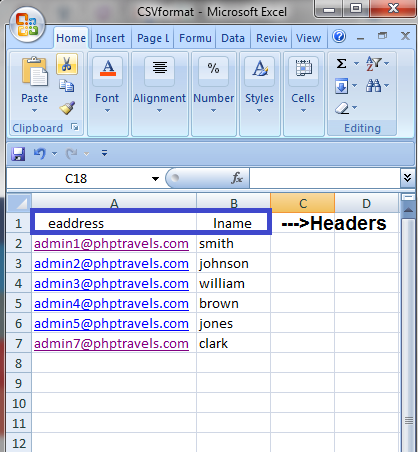
Upload your data as a CSV file. Each column is a data set, and the column header is the variable name.
-
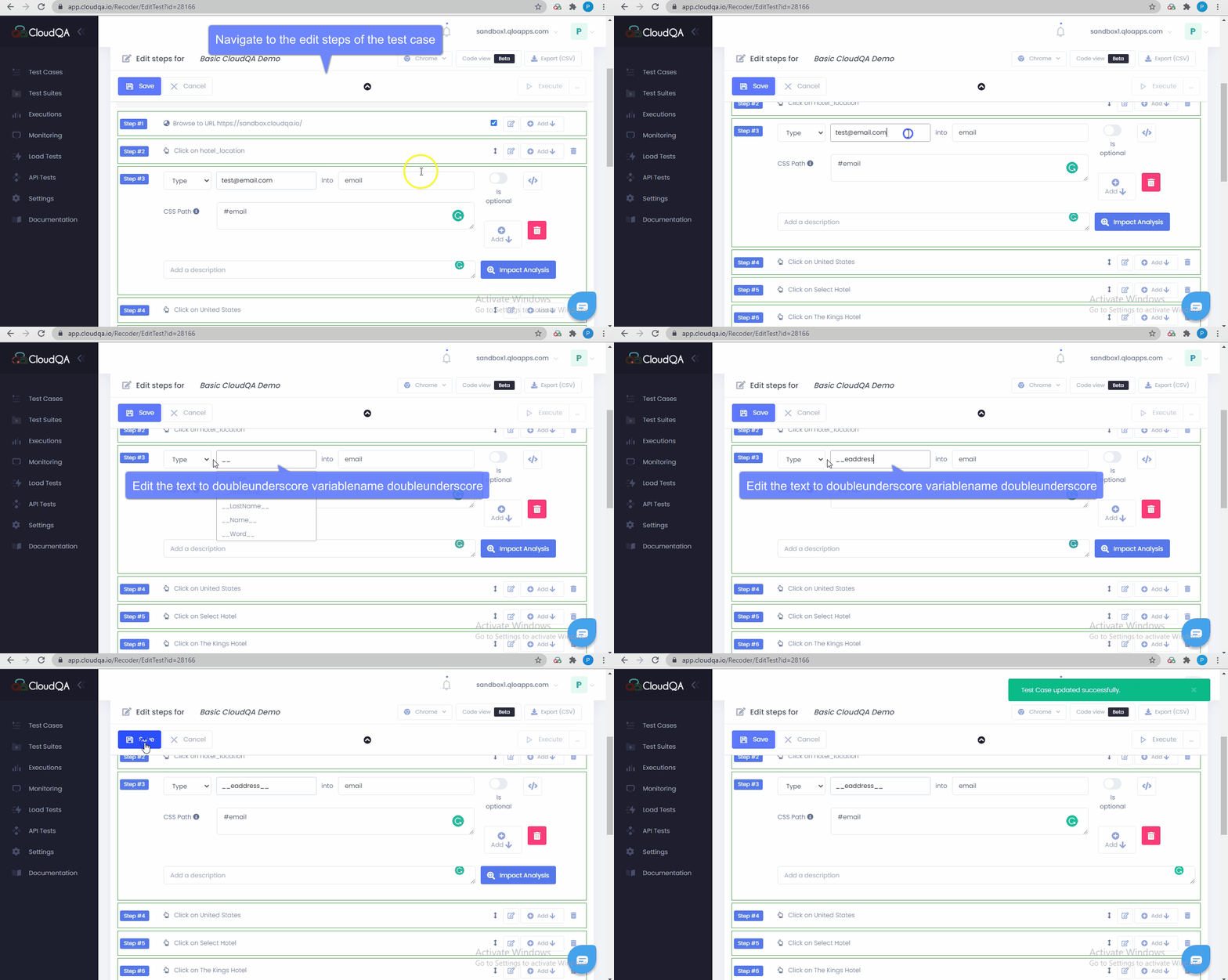
Open Edit Steps for the test case and find the step you want to randomize.
-
Clear the step’s value and enter the variable name wrapped in double underscores, matching the CSV header:
__application variable name__. -
Save the test case.