

Slack
Slack is a team communication tool that connects to almost anything. With this integration, CloudQA posts failed test cases to a Slack channel automatically.
Before you start
Section titled “Before you start”Create a Slack channel and add an incoming webhook. See Slack’s guide to incoming webhooks.
Connect Slack
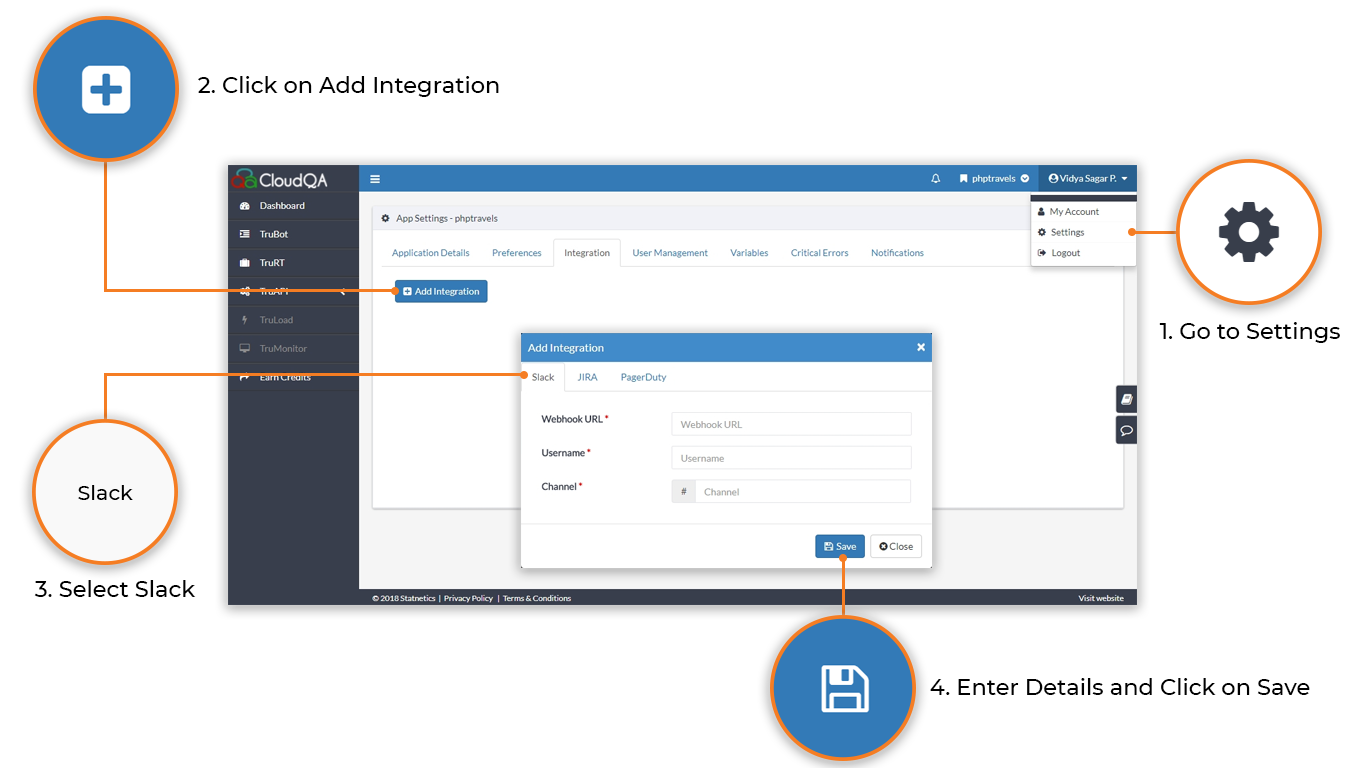
Section titled “Connect Slack”- Open Settings and select the Integration tab.
- Select Add Integration.
- Choose Slack as the service type.
- Enter the Webhook URL, Username and Channel name, then save.
To choose which results trigger a message, see Test suite notifications.