

Application variables
If a set of values changes often and is used across many test cases, updating each test by hand is slow and error-prone. Application variables let you declare the values once, at the application level, and change them in one place.
These variables can supply input to a step or the expected value in an assertion in any test case.
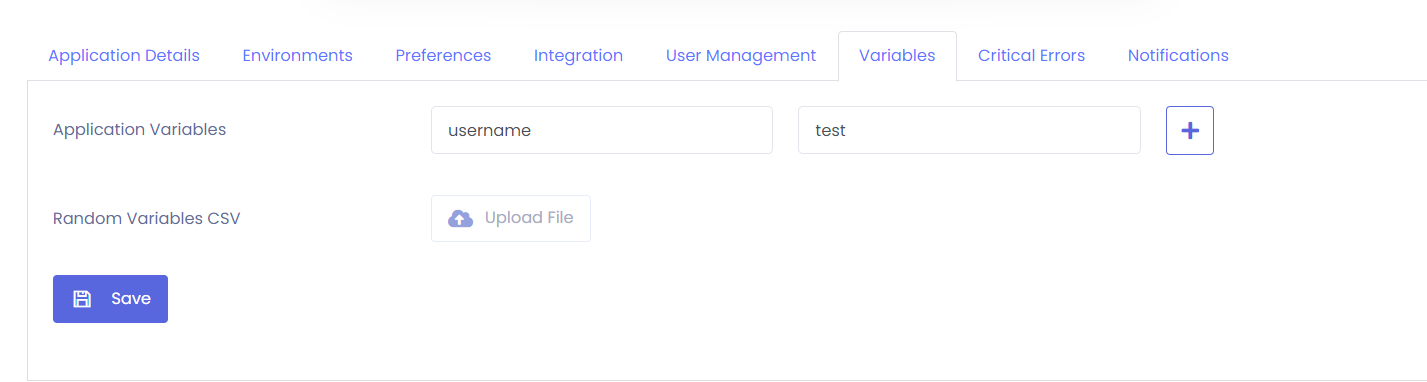
1. Declare the variables
Section titled “1. Declare the variables”
- Open the Variables tab in Settings.
- Enter a variable name and a variable value.
- Select the plus (+) button.
- Select Save.
2. Use them in test cases
Section titled “2. Use them in test cases”
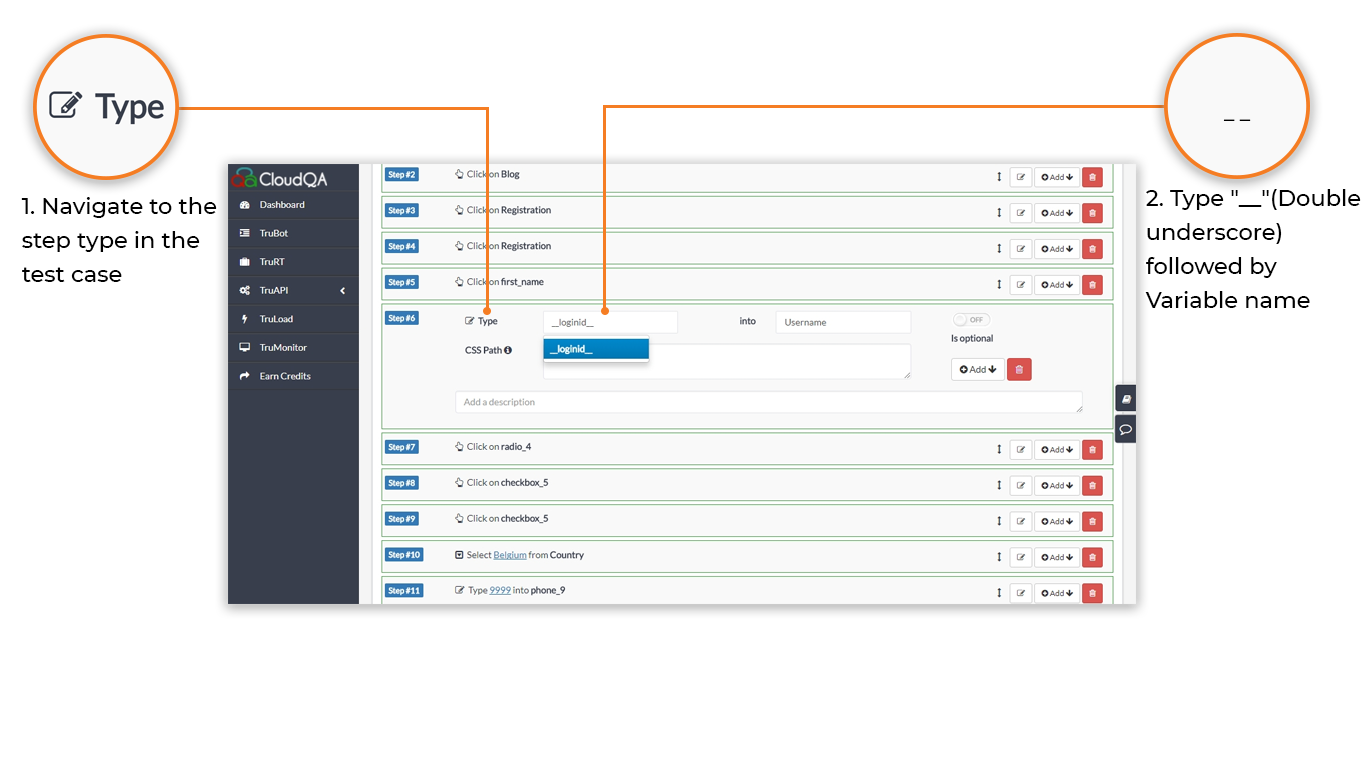
You can use declared variables in Edit Steps in two ways.
In steps and assertions. Enter the variable name in place of a text value, wrapped in double underscores. Example: __loginid__.
In custom scripts. Read the variable as cloudqa.variablename. Example: cloudqa.loginid.

- Changing an application variable’s value affects every test case that uses it.
- CloudQA doesn’t show a warning when you modify or delete a variable, so check where it is used before you change it.