

API tests
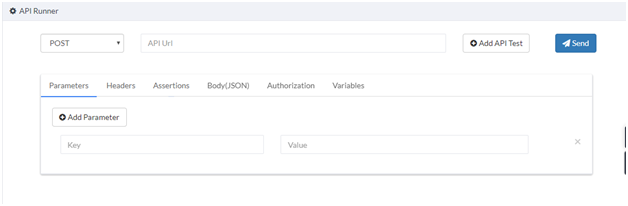
The API Runner is where you create and run API tests. You can start in a few clicks, then add parameters, authentication, assertions and variables as you need them.
Send a request
Section titled “Send a request”- Choose a method type.
- Paste the API URL.
- Select Send to send the request, or Add API Test to save it.

To try it, send a GET request to a practice API that CloudQA hosts: https://um5fdww2pj.execute-api.us-east-1.amazonaws.com/dev/todos. See practice APIs.
Add parameters
Section titled “Add parameters”Most APIs need more than a URL. Open the Parameters tab and select Add Parameter to add values. You can also add headers and a JSON body.
Authenticate
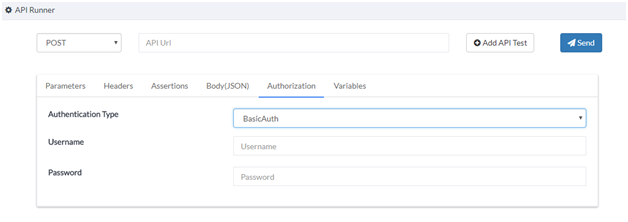
Section titled “Authenticate”- Open the Authorization tab.
- Choose BasicAuth. The default is Noauth.
- Enter the username and password.
Read the response
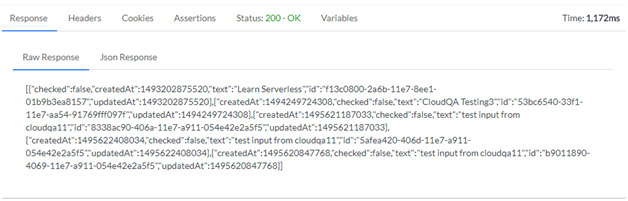
Section titled “Read the response”Each response shows the status code, body, headers and the time the request took.
Add assertions
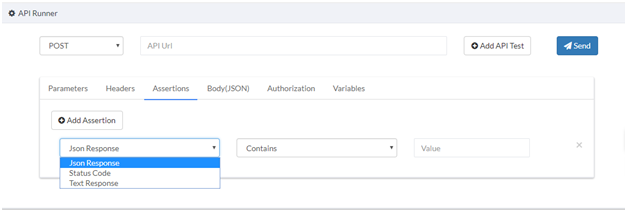
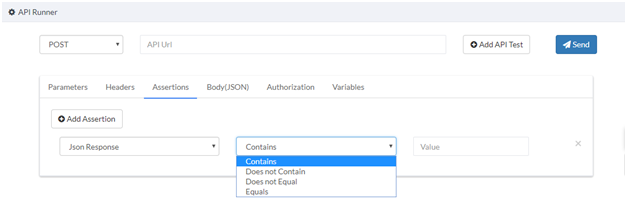
Section titled “Add assertions”Use the Assertions tab to verify the response. You can add several.
- Choose the response type.
- Choose the condition.
- Enter the value to check.
Store values from a response
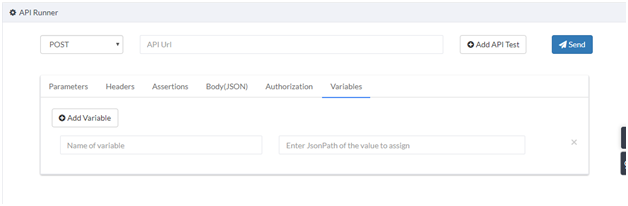
Section titled “Store values from a response”Use the Variables tab to save a value from a response and reuse it.
- Select Add Variable.
- Give it a name your team will understand.
- Enter the JsonPath of the value in the response body.
- In another request, use the value as
__name of the variable__.
View and run saved tests
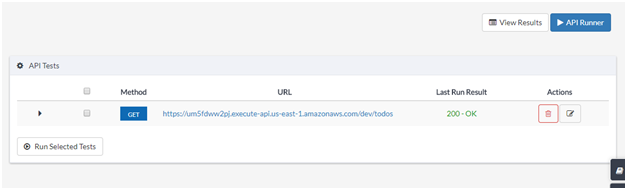
Section titled “View and run saved tests”- On the API Runner page, select View Saved Tests.
- Select one or more tests and run them.
By default the list shows the status of each test’s last run, and results show the execution history.
You can also run a saved API test as a step inside a browser test. Add an Import API Test step in Edit steps.
API suites
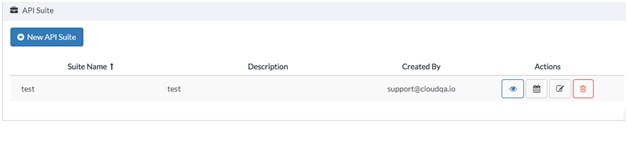
Section titled “API suites”Group saved API tests into a suite and schedule it for frequent, automated API testing. To add and schedule API tests, see Test suites and Run a test suite.
Use application variables
Section titled “Use application variables”When many API tests run in several environments, such as staging and production, editing URLs and assertions in every test is slow. Define the values once as application variables and use them in your tests.
- Define variables in Settings, on the Variables tab.
- Enter the variable name in place of the API URL or an assertion value, wrapped in double underscores:
__variablename__.
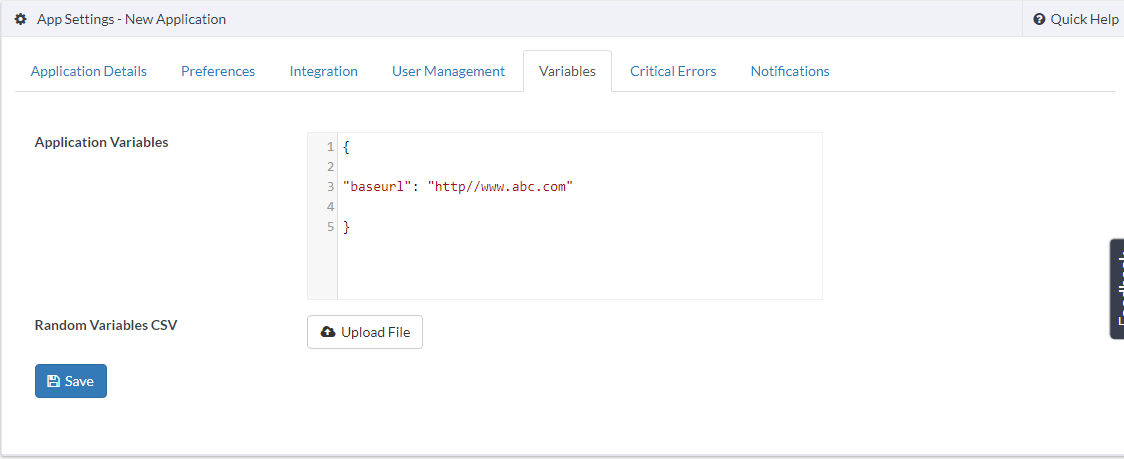
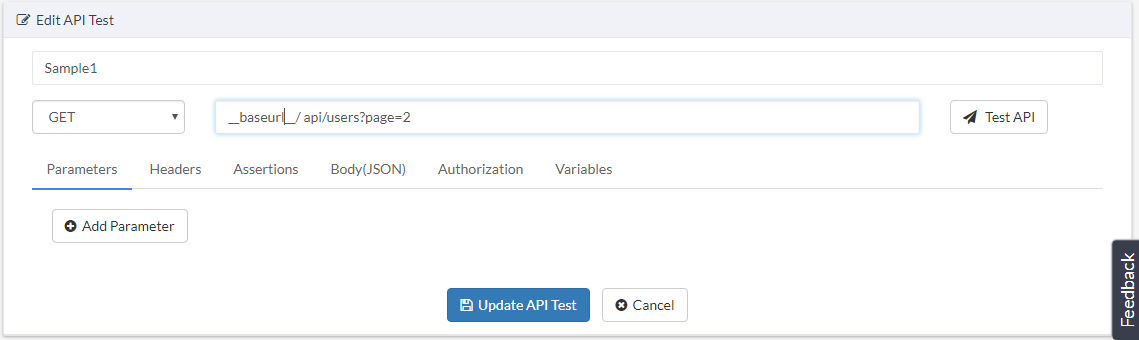
Example requests that use a baseurl variable:
GET__baseurl__/users/2PUT__baseurl__/api/users/2(with a JSON body)POST__baseurl__/api/register(with a JSON body)
Test many data sets in one run
Section titled “Test many data sets in one run”Pass several sets of parameter values in a single run with a CSV file. The API runs once for each data row.
-
Open API Tests.
-
When you start a run, select a CSV data file.
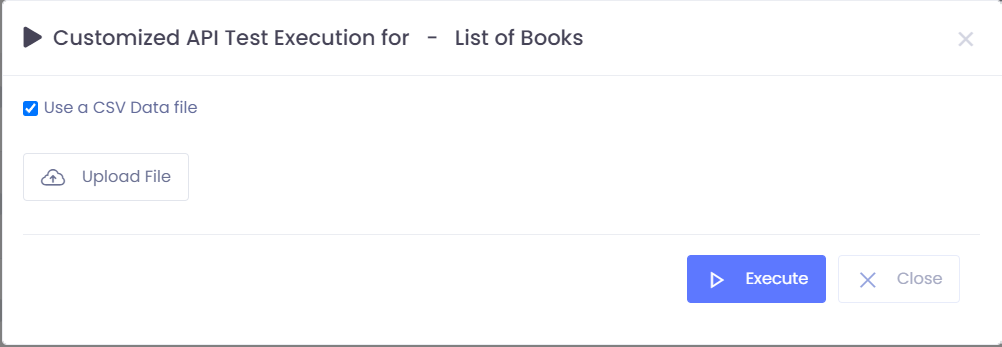
-
Format the file with parameter names in the header row, followed by rows of data.
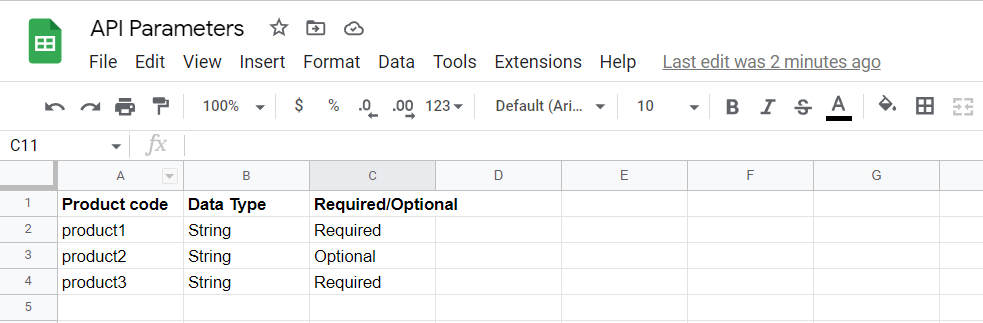
-
Upload the file and run.
View results on the API results page.
Use random variables in JSON bodies
Section titled “Use random variables in JSON bodies”Random variables generate new data on every run, so you don’t type values by hand.
- Open API Tests and edit or create a test.
- In the JSON Body section, insert the variable in the required format.
- Save the test. The data is generated during execution.
Available random variables, each wrapped in double underscores:
| Variable | Generates |
|---|---|
__FirstName__ |
A random first name |
__LastName__ |
A random last name |
__Email__ |
A random email address |
__Word__ |
A random word |
Practice APIs
Section titled “Practice APIs”CloudQA hosts a sample to-do API you can use to practice.
| Method | URL |
|---|---|
POST |
https://um5fdww2pj.execute-api.us-east-1.amazonaws.com/dev/todos |
GET |
https://um5fdww2pj.execute-api.us-east-1.amazonaws.com/dev/todos |
GET |
https://um5fdww2pj.execute-api.us-east-1.amazonaws.com/dev/todos/{id} |
PUT |
https://um5fdww2pj.execute-api.us-east-1.amazonaws.com/dev/todos/{id} |
DELETE |
https://um5fdww2pj.execute-api.us-east-1.amazonaws.com/dev/todos/{id} |