

Environments and HTTP authentication
An environment is a named URL for one stage of your application, such as development, staging or production. Environments let you run the same tests against each one. If an environment is protected by HTTP or HTTPS basic authentication, you can store its credentials too.
Create an environment
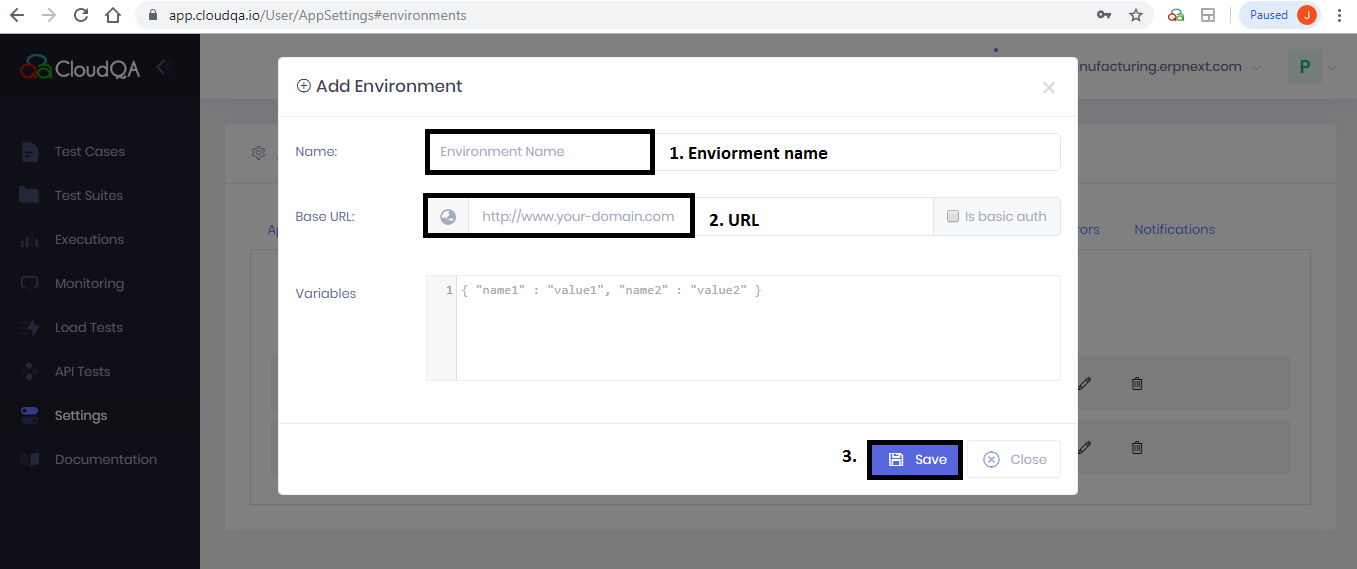
Section titled “Create an environment”- Open the Environments tab in application Settings and select the option to create a new environment.
- Enter the environment Name and URL, then save.
Add an environment that needs basic authentication
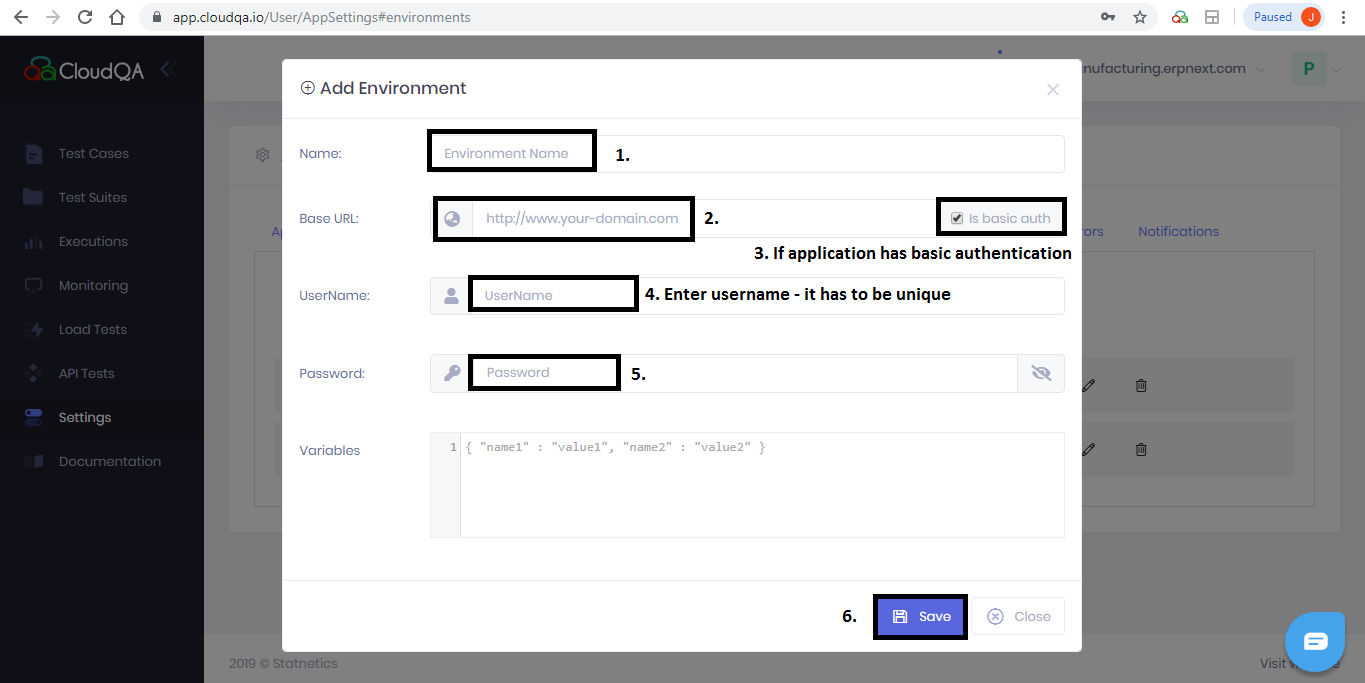
Section titled “Add an environment that needs basic authentication”- Enter the environment Name and URL.
- Select the is basic auth checkbox.
- Enter the HTTP authentication credentials and save.
Run tests in an environment
Section titled “Run tests in an environment”You can choose the environment in two ways:
- As the default. On the Preferences tab, choose the HTTP auth URL or environment URL in the Base URL dropdown and save. See Preferences.
- For a single run. Use Custom Execute on the Test Cases page and choose the environment, or user ID, for that run.
See also Run in multiple environments.