

PagerDuty
CloudQA includes a ready-made PagerDuty integration that sends monitoring notifications to your PagerDuty account. Data flows one way, from CloudQA to PagerDuty.
How it works
Section titled “How it works”When CloudQA detects a failure, it sends an event to a PagerDuty service. The event can open a new incident on that service or be grouped as an alert under an existing incident.
Before you start
Section titled “Before you start”- You need the Admin base role in PagerDuty. If you don’t have it, ask an Admin or Account Owner to set this up.
- CloudQA needs a service key and an event type. You get the key by creating a new PagerDuty service or by adding an integration to an existing one.
1. Configure PagerDuty
Section titled “1. Configure PagerDuty”- Log in to PagerDuty and choose Services from the Configuration menu.
- Add the integration in one of two ways:
- Existing service: open the service, go to the Integrations tab and select New Integration.
- New service: follow PagerDuty’s guide to creating a service. Choose Use our API directly as the integration type, then select API in the dropdown. See the Events API v2.
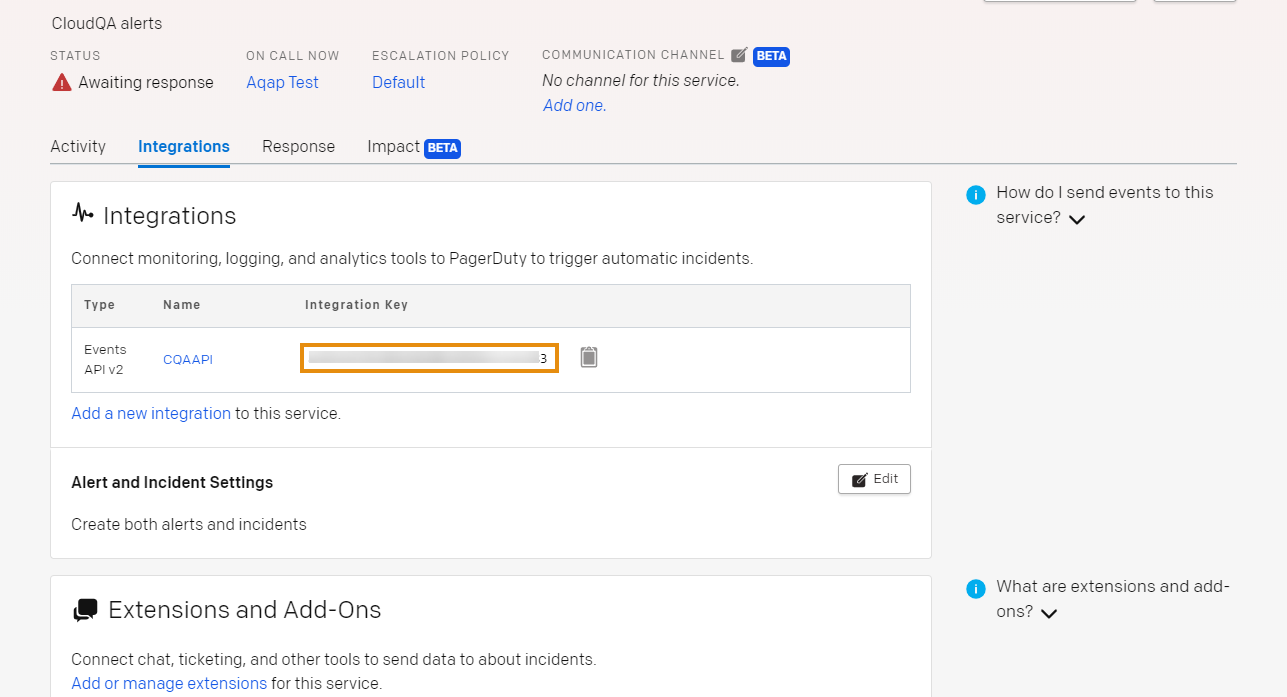
- Enter an integration name in the form
monitoring-tool-service-name, for exampleCQAAPI. - Select Add Integration. You land on the service’s Integrations tab.
- PagerDuty generates an Integration Key. Store it securely, because you need it in CloudQA.
2. Configure CloudQA
Section titled “2. Configure CloudQA”-
Open Settings and select the Integrations tab.
-
Select Add Integration, then the PagerDuty tab.
-
Enter the Service Key (the integration key from PagerDuty), set Event Type to
trigger, and save.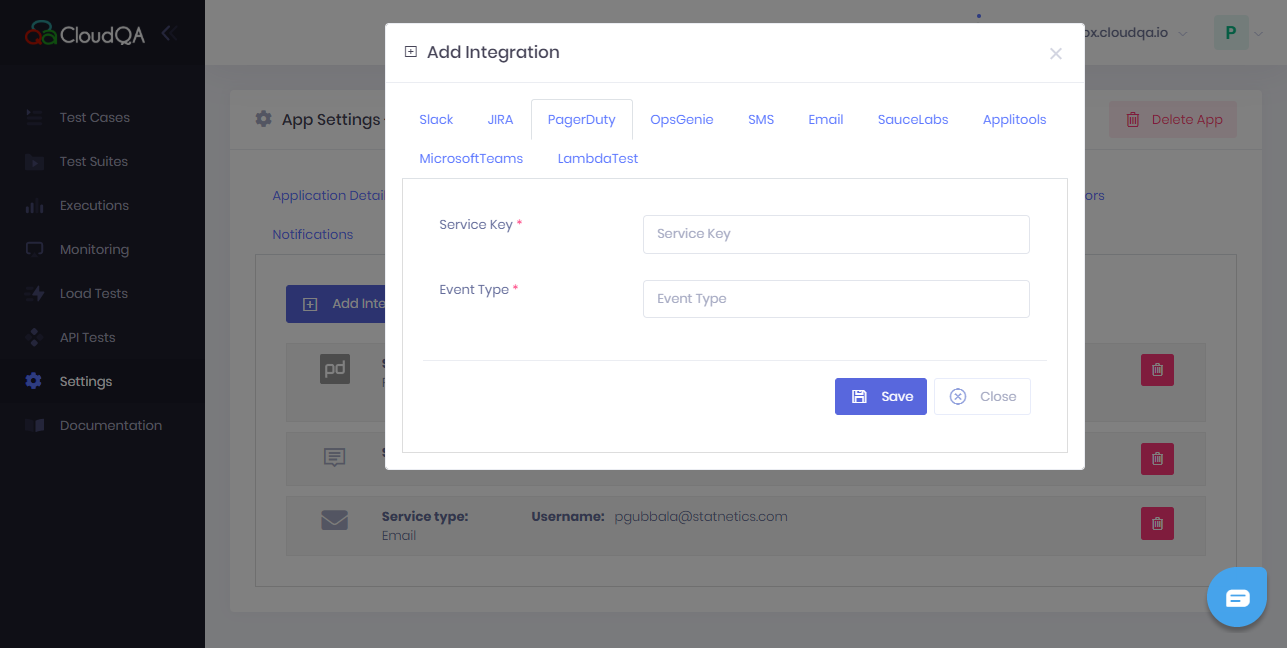
-
On the same page, open the Notifications tab.
-
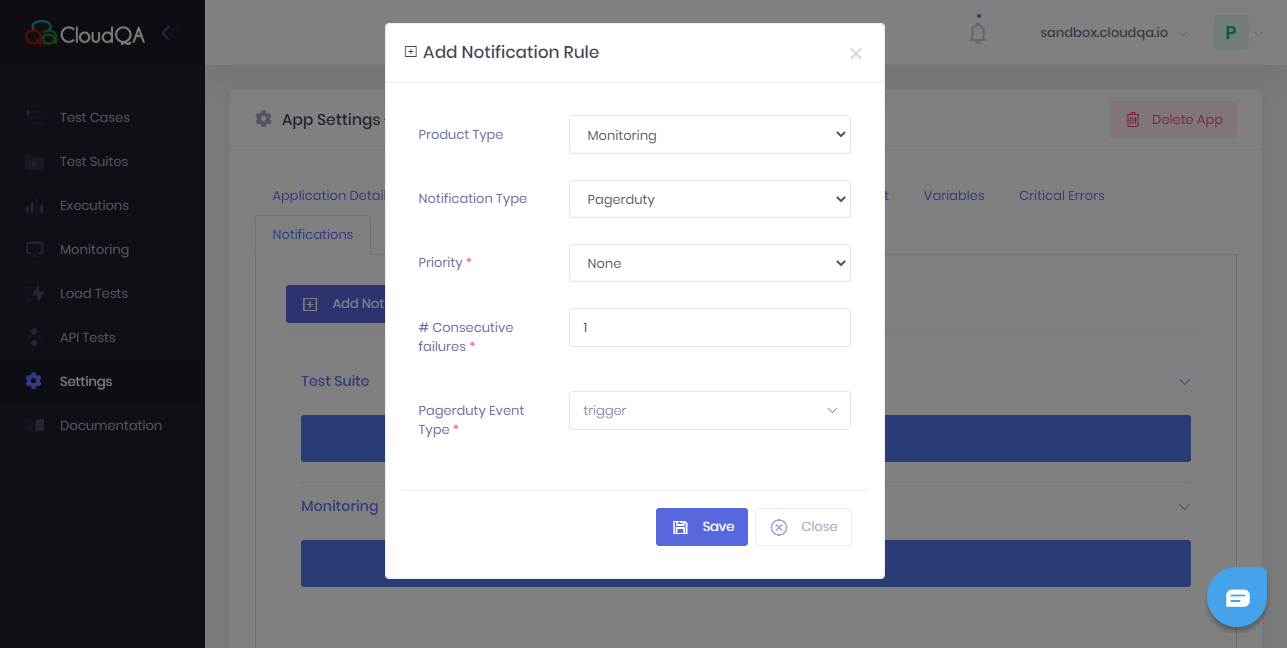
Select Add Notification, set the product type to Monitoring and the notification type to Pager Duty.
-
Set the conditions:
- Priority: choose the level that matches the test case’s priority.
- Consecutive failure: set how many failures in a row trigger a notification.
-
Select the PagerDuty Event and save.
Once configured, each test failure creates an incident in PagerDuty.