

Confluence
Confluence is a collaboration wiki where teams capture requirements, assign tasks and share knowledge. With this integration, CloudQA posts the latest test suite results to a Confluence page, so people can review them in Confluence instead of logging in to CloudQA.
Before you start
Section titled “Before you start”- An Atlassian account
- A Confluence space in that account
Connect Confluence
Section titled “Connect Confluence”- Open Settings and select the Integration tab.
- Select Add Integration.
- Choose Confluence as the service type.
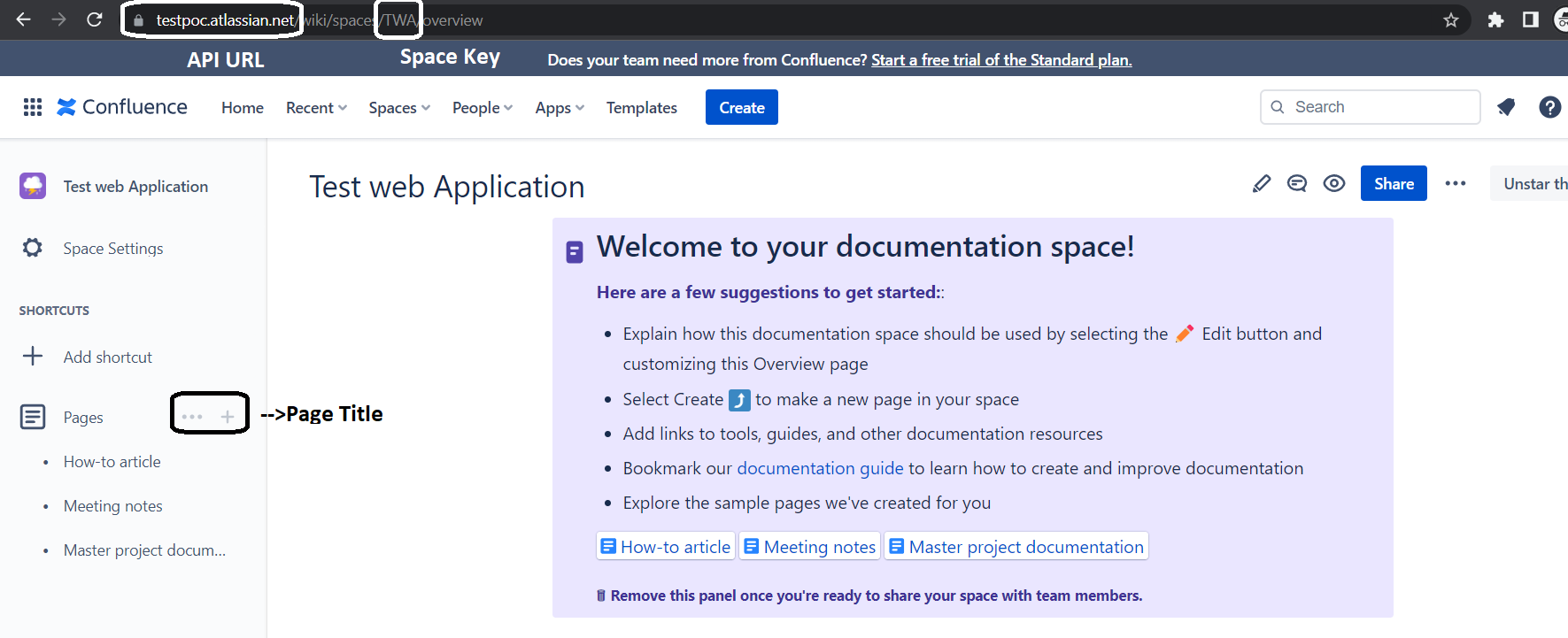
- Enter and save:
- Confluence API URL
- API Key
- Confluence Username
- Confluence Space Key
- Page Title
When you run a test suite, its results are posted to the matching Confluence page.