

Jira
CloudQA works with bug trackers such as Jira, so you can export failed test case results from CloudQA into your tracker and keep managing bugs in your existing workflow.
Before you start
Section titled “Before you start”- A Jira account
- A project in Jira
Connect Jira
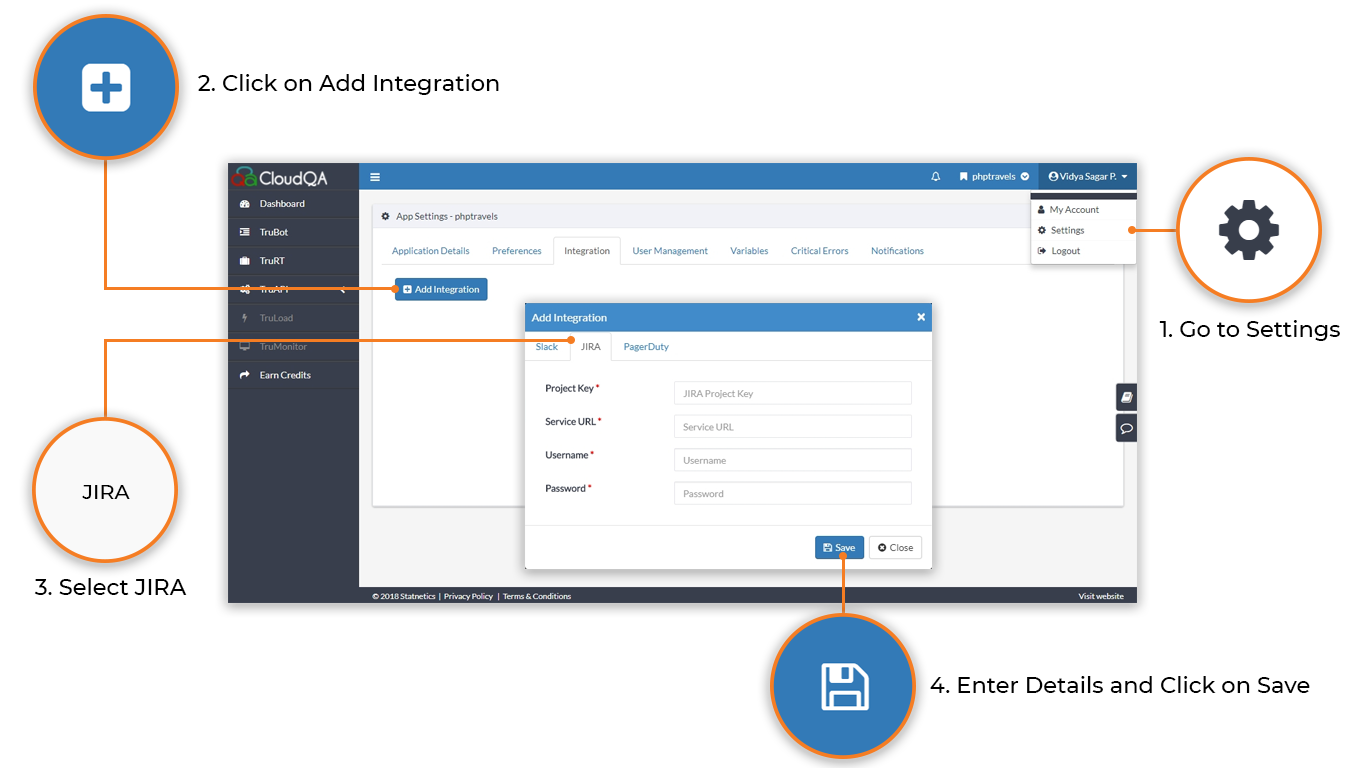
Section titled “Connect Jira”- Open Settings and select the Integration tab.
- Select Add Integration.
- Choose JIRA as the service type.
- Enter and save:
- JIRA Project Key: the key of your Jira project
- Service URL: your Jira URL
- Username
- Password
After setup, you can export bugs (failed test case results) to Jira.