Critical errors
The Critical Error Validator watches for error pages, such as 404 or 500 pages, that appear while a test runs on your application. When one appears, CloudQA alerts your team.
Set up an integration such as Slack or Jira first, so CloudQA has somewhere to send the alert.
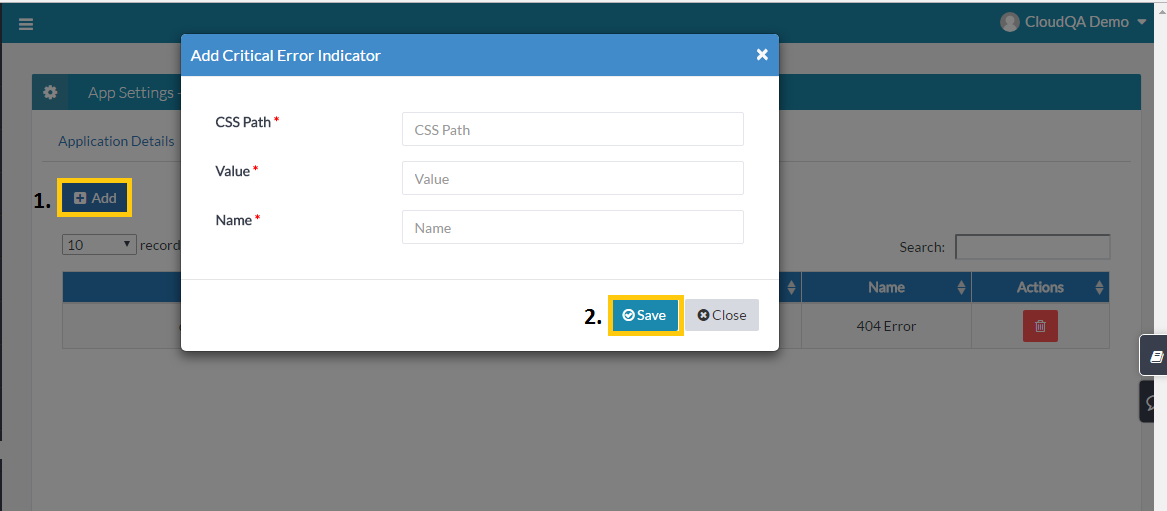
Add a critical error
Section titled “Add a critical error”- Open the critical errors page for your application and select Add.
- Enter the CSS selector of the error message, its value (the text it shows) and a name for the error page.
- Save.