Opsgenie
Opsgenie sends alerts, with the information needed to act on them, to the right people so they can assess incidents quickly. With this integration, CloudQA logs an entry in Opsgenie whenever a test fails.
Connect Opsgenie
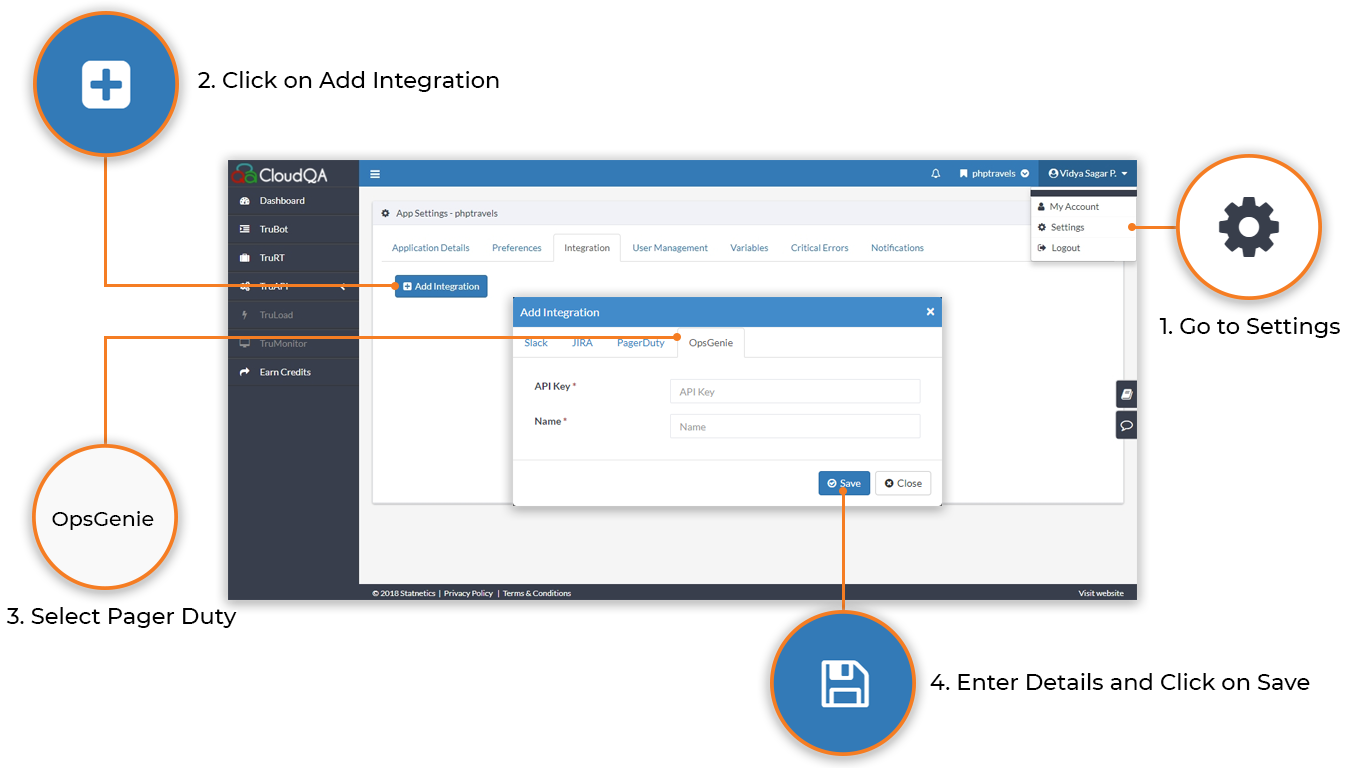
Section titled “Connect Opsgenie”- In Opsgenie, create an API integration. See Opsgenie’s API integration guide.
- In CloudQA, open Settings and select the Integrations tab.
- Select Add Integration, then the Opsgenie tab.
- Enter the API key and API name from your Opsgenie account, then save.